How to Add a Baseball Scoreboard Overlay to OBS
Want a TV-style baseball scoreboard — score, inning, ball-strike-out count and runners — on your OBS live stream? With EXVAST-GFX, you run the scoreboard from a control panel and bring it into OBS as a Browser Source with a transparent background. No coding and no design work.
What you need
- A Mac with Apple silicon (M1 or later) running macOS 14 Sonoma or later
- OBS Studio — on the same computer, or on another computer on the same network
- EXVAST-GFX — download it free. EX-LINK, the feature used in this guide, is included in every plan, including LITE.
Step 1. Open the baseball graphics
Launch EXVAST-GFX and open Baseball in the Launcher. Three windows open: the Controller (where you run the graphics), the Output Manager (outputs, recording and streaming) and the Receiver (the graphics themselves).
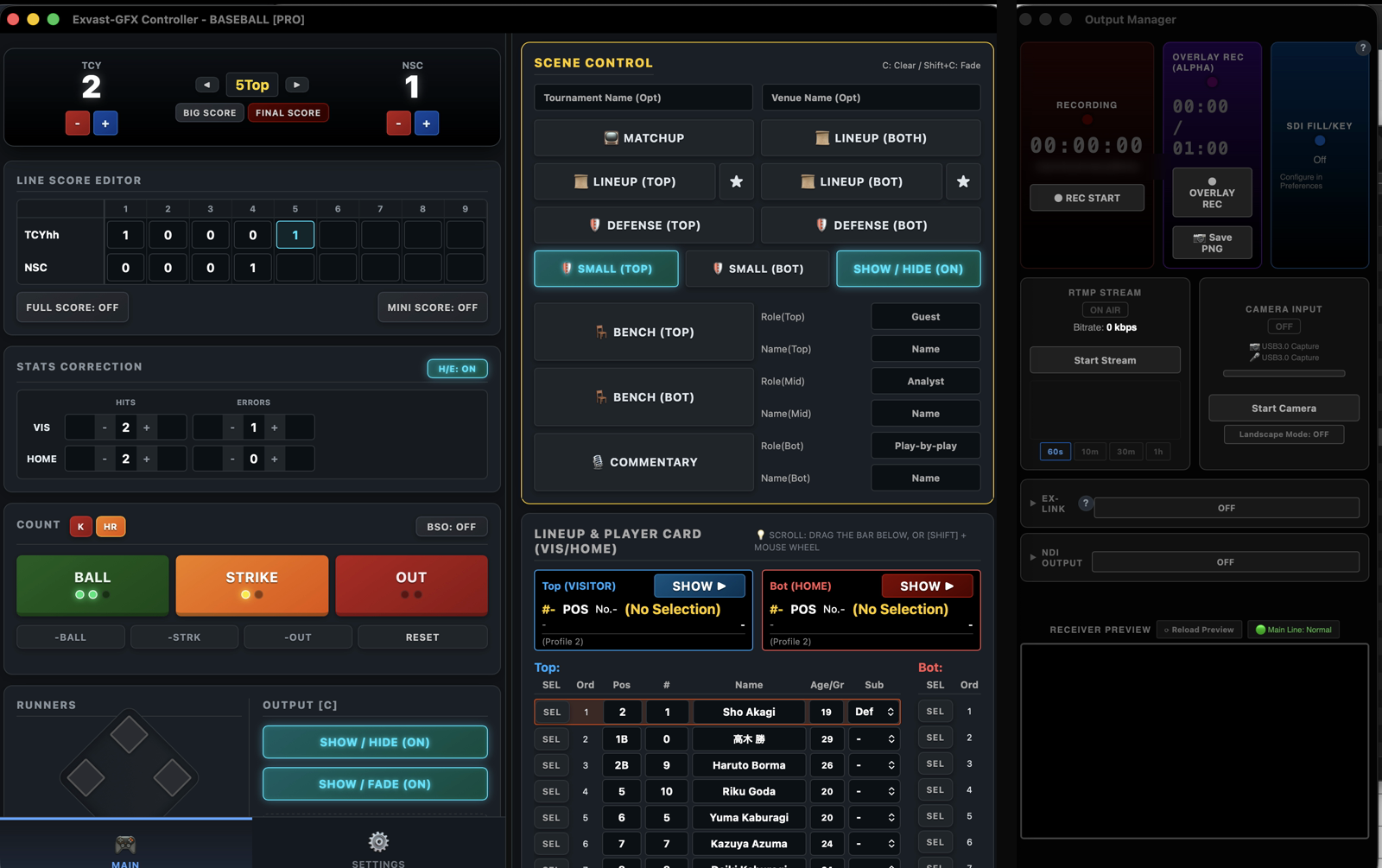
Step 2. Set up the teams
In the Controller's SETTINGS tab, under Team Config, enter the visitor and home team names, abbreviations and logos. You can also choose the scoreboard position and one of four design themes here.
Step 3. Turn on EX-LINK and copy the URL
In the Output Manager, switch EX-LINK to ON. A URL that displays your graphics appears. Click Copy.
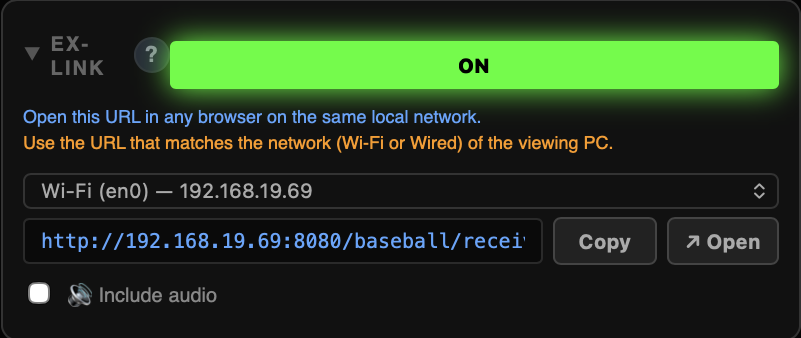
If your computer is on both Wi-Fi and a wired network, choose the URL for the network that the OBS computer is on.
Step 4. Add the URL to OBS as a Browser Source
- In OBS, click + under Sources and choose Browser.
- Paste the URL you copied.
- Set the width to 1920 and the height to 1080.
- Keep the browser source above your camera source in the list.
The graphics sit over your camera feed with a fully transparent background.
Step 5. Show the scoreboard and run the game
Back in the Controller's MAIN tab, click Show / Hide (instant) or Show / Fade (fade in). The scoreboard appears in OBS. During the game:
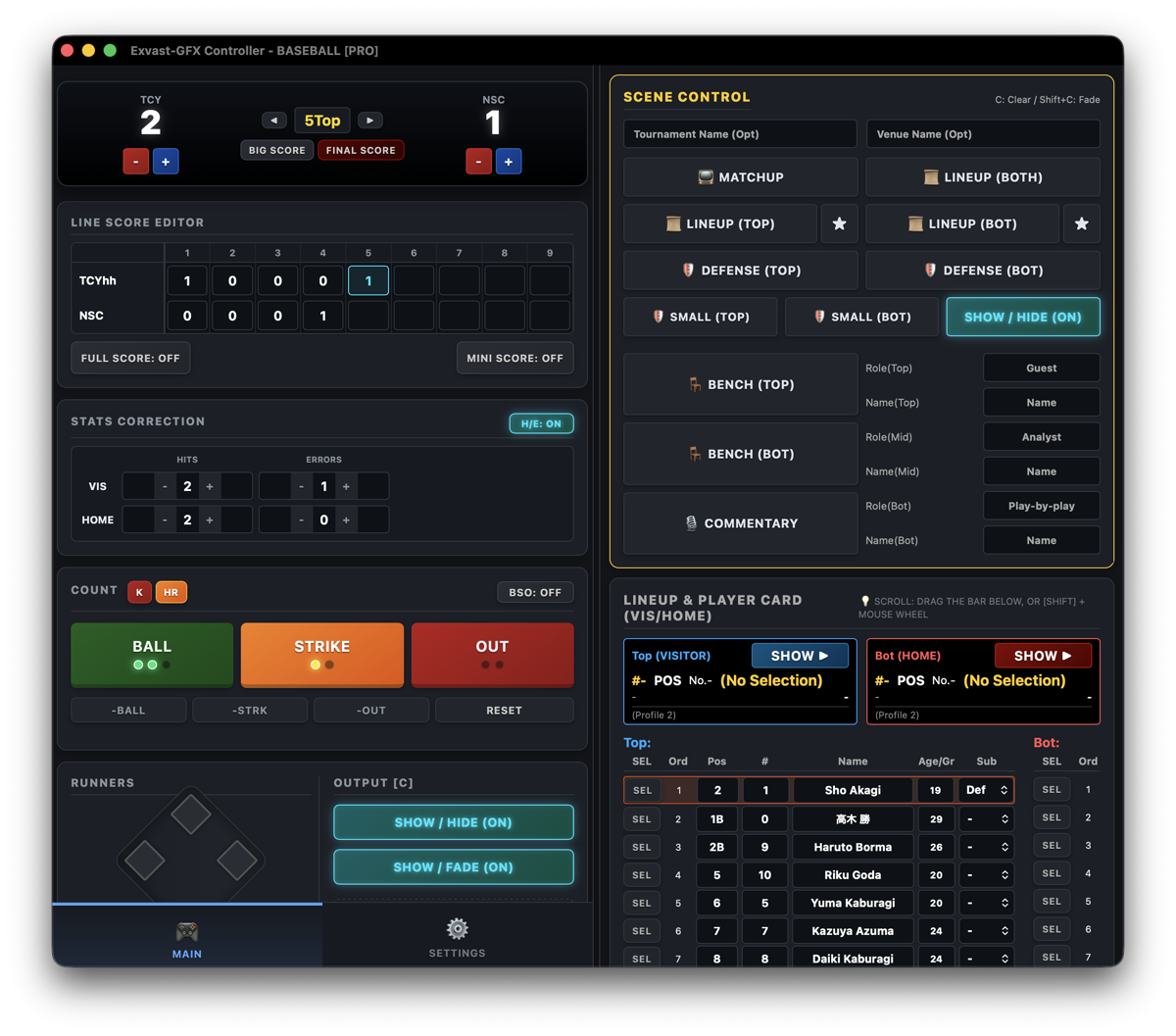
- + / − changes each team's score, and ◀ / ▶ moves the inning (top / bottom).
- BALL / STRIKE / OUT add to the count. RESET clears it.
- Click a base to put a runner on. Reset Runners clears the bases.
- K plays the strikeout animation and HR the home run animation.
- Full Score shows the inning-by-inning line score.
If the scoreboard doesn't appear
- Make sure EX-LINK is ON and the scoreboard is shown (Show / Hide).
- If OBS runs on another computer, connect it to the same network (Wi-Fi or wired) and choose the URL for that network in the Output Manager.
- On the PRO or STUDIO plan, you can also send the graphics to OBS with NDI® (install the DistroAV plugin in OBS, then choose Exvast as the NDI source).
Try it on your next game
Download EXVAST-GFX and test it free. See the User Guide for every feature.
Download free